
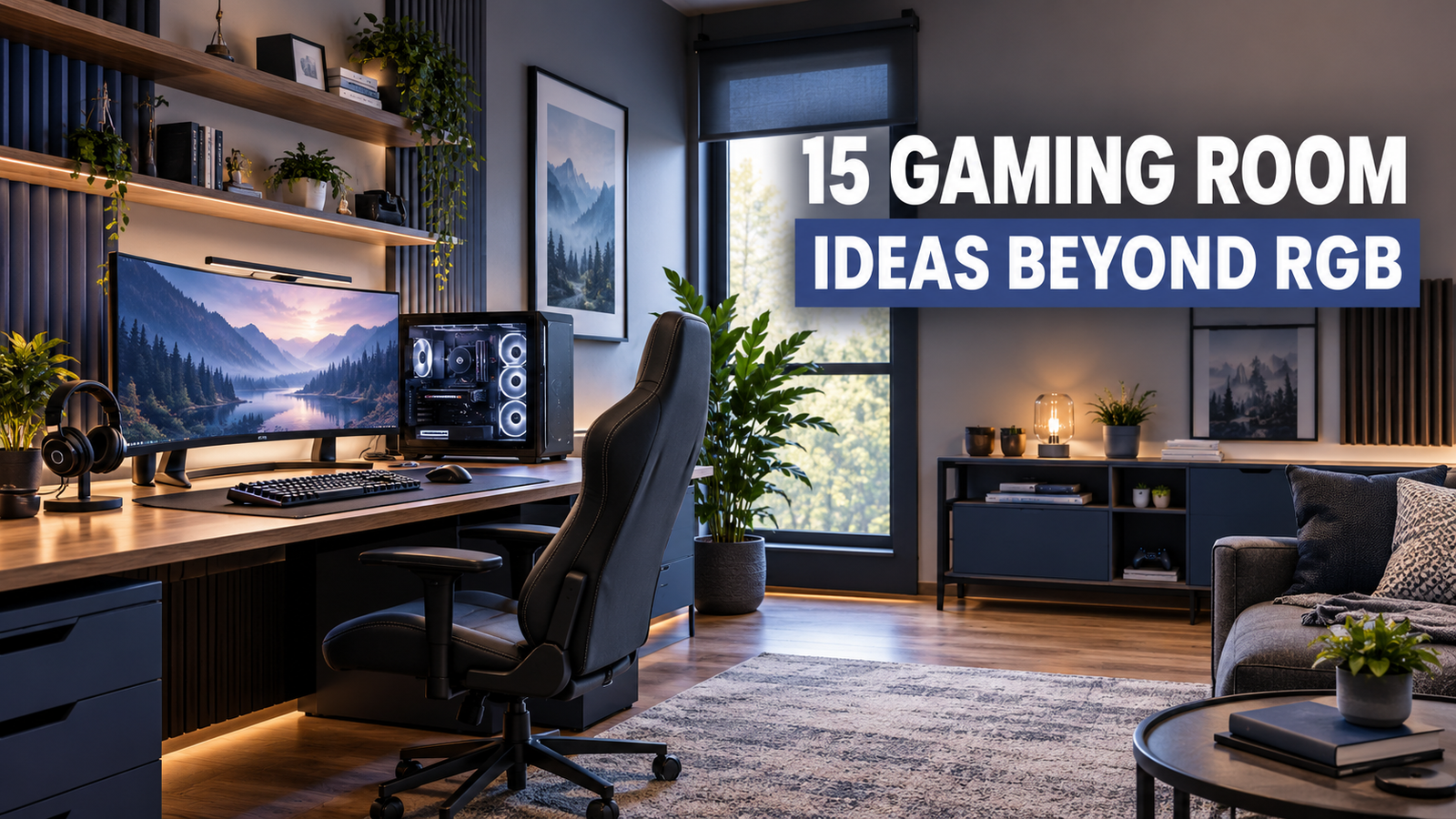
A great gaming room is about more than colorful lights and a powerful computer. The best gaming room setup makes the space comfortable, practical, easy to organize, and enjoyable to spend time in.
You might be working with a tiny bedroom, a spare room, a shared office, or a large space that needs a complete makeover. The right design depends on how much room you have, what equipment you use, how often you play, and whether the space needs to serve another purpose.
Before buying another RGB strip or expensive accessory, think about the basics: desk placement, seating, lighting, storage, cable management, acoustics, and available floor space.
The 15 gaming room ideas at Daily Idea Book, below are organized around different situations, including small rooms, bedrooms, adult game rooms, flexible setups, and DIY renovations. That makes it easier to find an idea that actually fits your home.
What Makes a Great Gaming Room Setup?
A great gaming room setup should make gaming comfortable while keeping the rest of the room easy to use.
The desk, chair, monitor, lighting, storage, and power connections should work together instead of being added one at a time without a plan. A beautiful setup can quickly become frustrating if the monitor causes glare, cables cross the floor, or there is nowhere to put controllers and accessories.
Before decorating, think about these six basics:
| Part of the setup | What to consider |
|---|---|
| Desk | Size, depth, shape, and available legroom |
| Chair | Back support, seat height, and comfortable posture |
| Monitor | Viewing position, glare, and distance |
| Lighting | Natural light, task lighting, and ambient lighting |
| Storage | Controllers, headsets, games, cables, and accessories |
| Power | Outlet locations, cable length, and safe cable routing |
The biggest mistake is usually buying furniture before measuring the room. Measure the available wall and floor space first, then decide what size desk and chair can comfortably fit.
Also think about where the door opens, where windows sit, and where heating or cooling equipment is located. A desk that technically fits may still make the room awkward if it blocks a doorway or leaves no comfortable walking path.
If organization is already a challenge elsewhere in your home, you may also like these practical guides on garage organization ideas and organizing desk drawers. The same basic principle applies to gaming gear: give frequently used items an obvious home.
15 Gaming Room Ideas That Go Beyond RGB
These ideas are designed to work across different room sizes and budgets. You do not need to copy one design exactly; instead, take the parts that solve problems in your own space.
Gaming Room Ideas for Small Rooms
1. Build a Compact Corner Gaming Setup
A forgotten corner can become a complete gaming station when you choose furniture that fits the space instead of trying to squeeze a large desk into it.
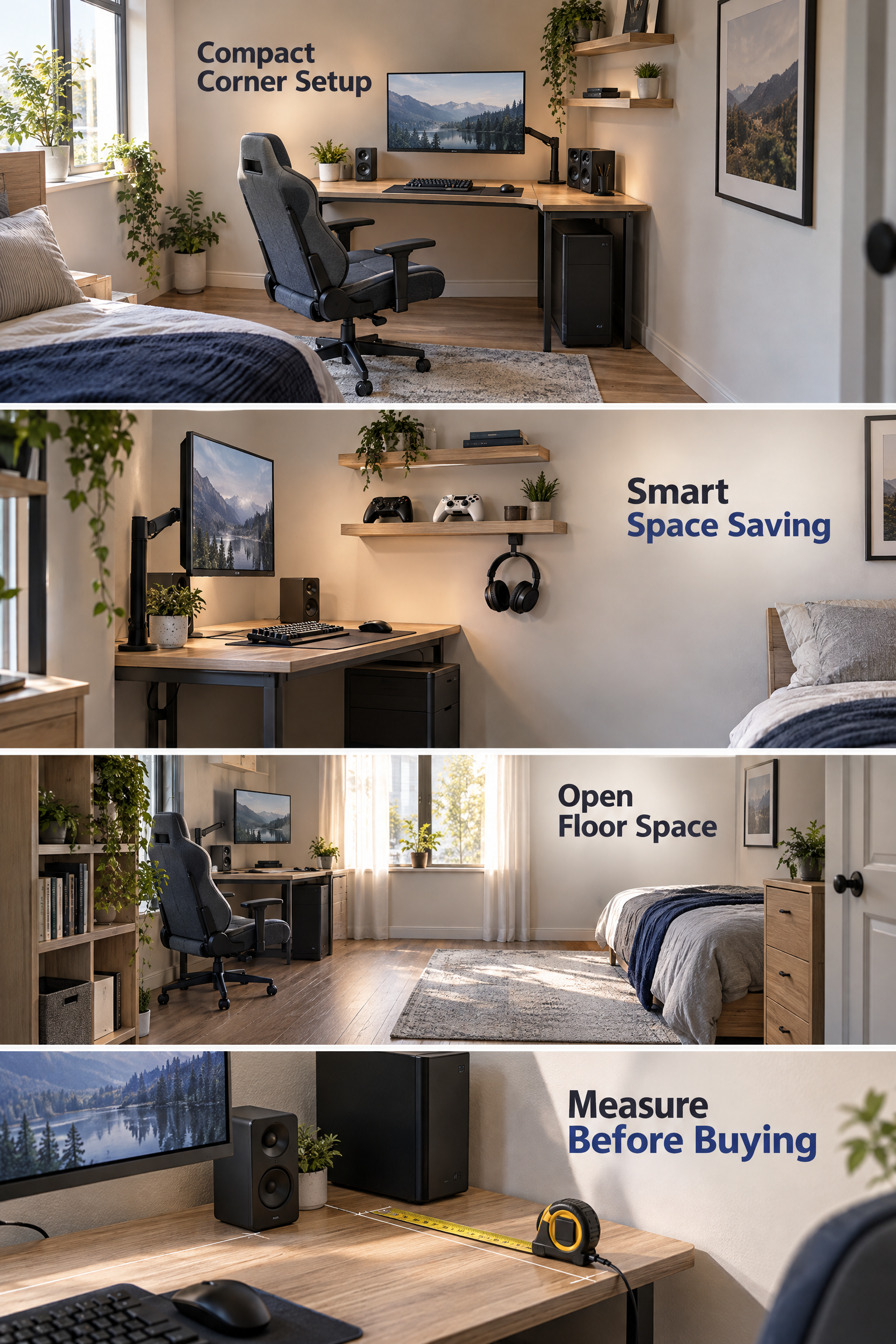
A compact desk positioned against two walls or in a corner can leave more open floor space for movement. This works particularly well in bedrooms, apartments, and multipurpose rooms.
If you use a desktop computer, measure the tower, monitor, speakers, and other equipment before choosing the desk. You also need enough depth for comfortable monitor placement rather than simply choosing the smallest desk available.
For a compact setup, consider:
- A narrow or corner desk
- One main monitor instead of several large displays
- A monitor arm to free desk space
- Wall shelves for accessories
- Under-desk storage
- Headphone hooks
- A compact gaming chair
Keep the floor visually open whenever possible. A small room can feel much larger when the desk has clean lines and storage is moved upward.
2. Create a Small Gaming Room With a Bed
A bedroom can work surprisingly well as a gaming room when the sleeping and gaming areas are treated as two separate zones.
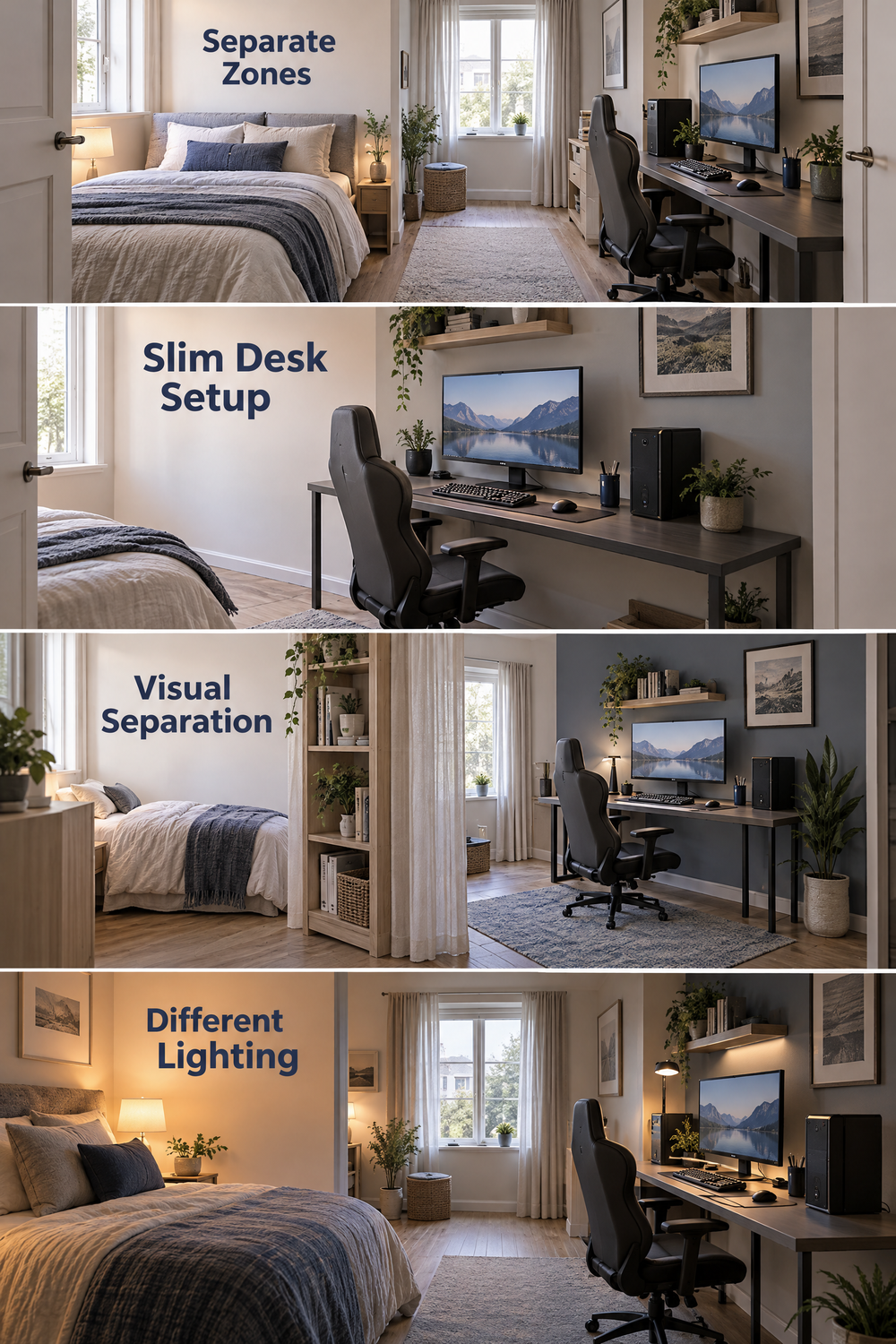
The easiest approach is to place the bed on one side of the room and the gaming desk on another, rather than allowing the desk to become an extension of the bed area.
If the room is very narrow, place the desk along the longest usable wall. A slim desk can provide enough space for a monitor and keyboard without making the walkway too tight.
You can also create separation visually with:
- A different wall color behind the desk
- A small rug
- Wall shelves
- A simple curtain or open shelving unit
- Different lighting for each zone
Small-room tip: Don’t try to fill every empty wall. A little open space around the desk can make the entire bedroom feel calmer and less crowded.
The same space-saving thinking can be useful in other small rooms too. Our small entryway ideas use a similar principle: use limited space for more than one purpose without overwhelming it.
3. Use Vertical Space to Save Floor Space
Walls are some of the most useful storage areas in a small gaming room.
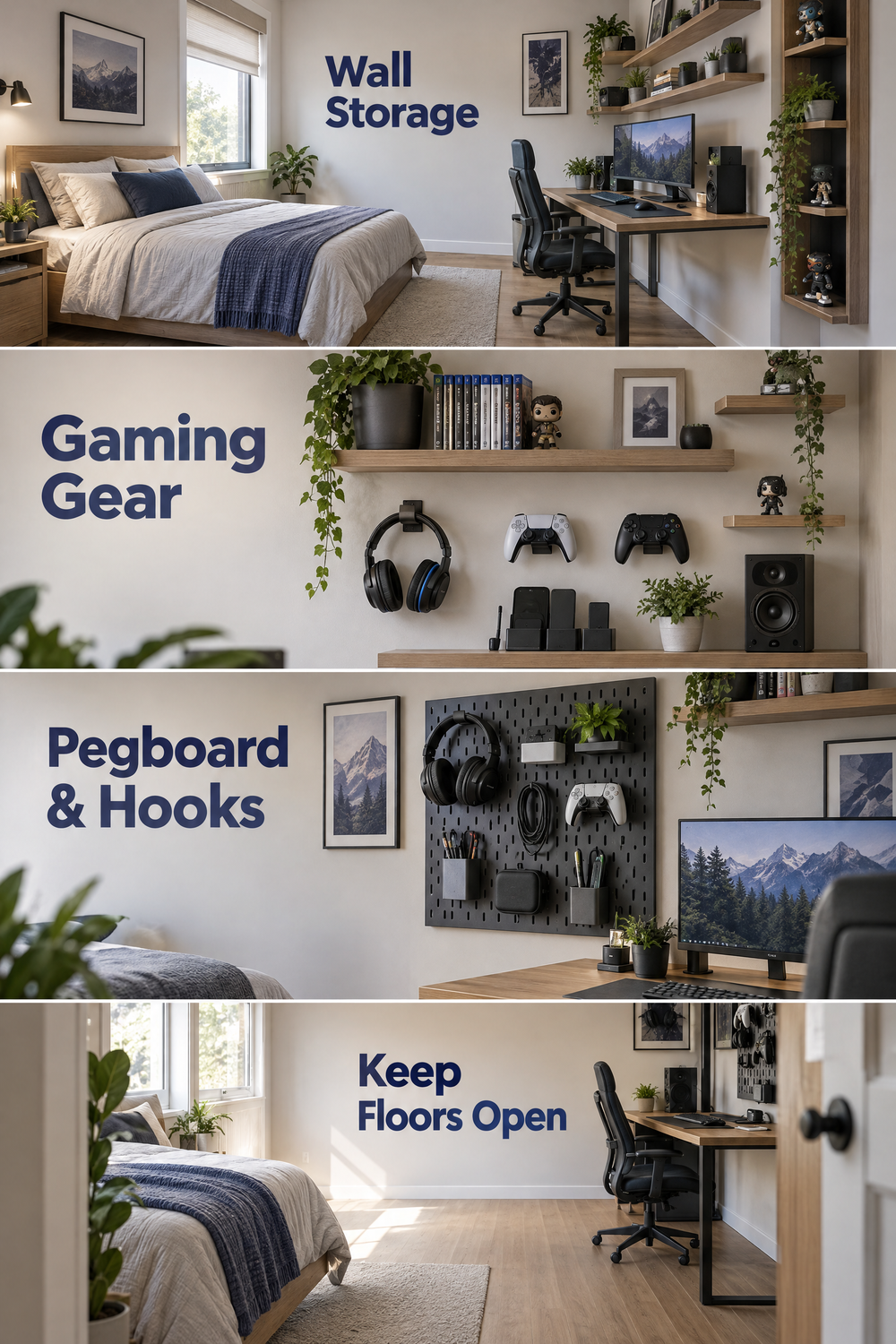
Instead of adding another floor cabinet, consider floating shelves, pegboards, wall-mounted hooks, or display shelves for lightweight gaming accessories and decor.
A wall can hold:
- Headsets
- Controllers
- Game cases
- Small speakers
- Collectibles
- Charging accessories
- Artwork
- Decorative pieces
Just make sure shelves and mounted equipment are installed securely and are suitable for the weight they will carry.
Vertical storage is especially helpful when you have a gaming setup with a bed because the floor needs to remain open for everyday movement.
4. Choose an IKEA Gaming Desk for a Flexible Setup
An IKEA gaming desk can be useful when you want a simple setup that can be changed later.
The main advantage is flexibility. A tabletop-and-leg combination, drawer unit, or modular desk arrangement can sometimes be adapted as your equipment changes.
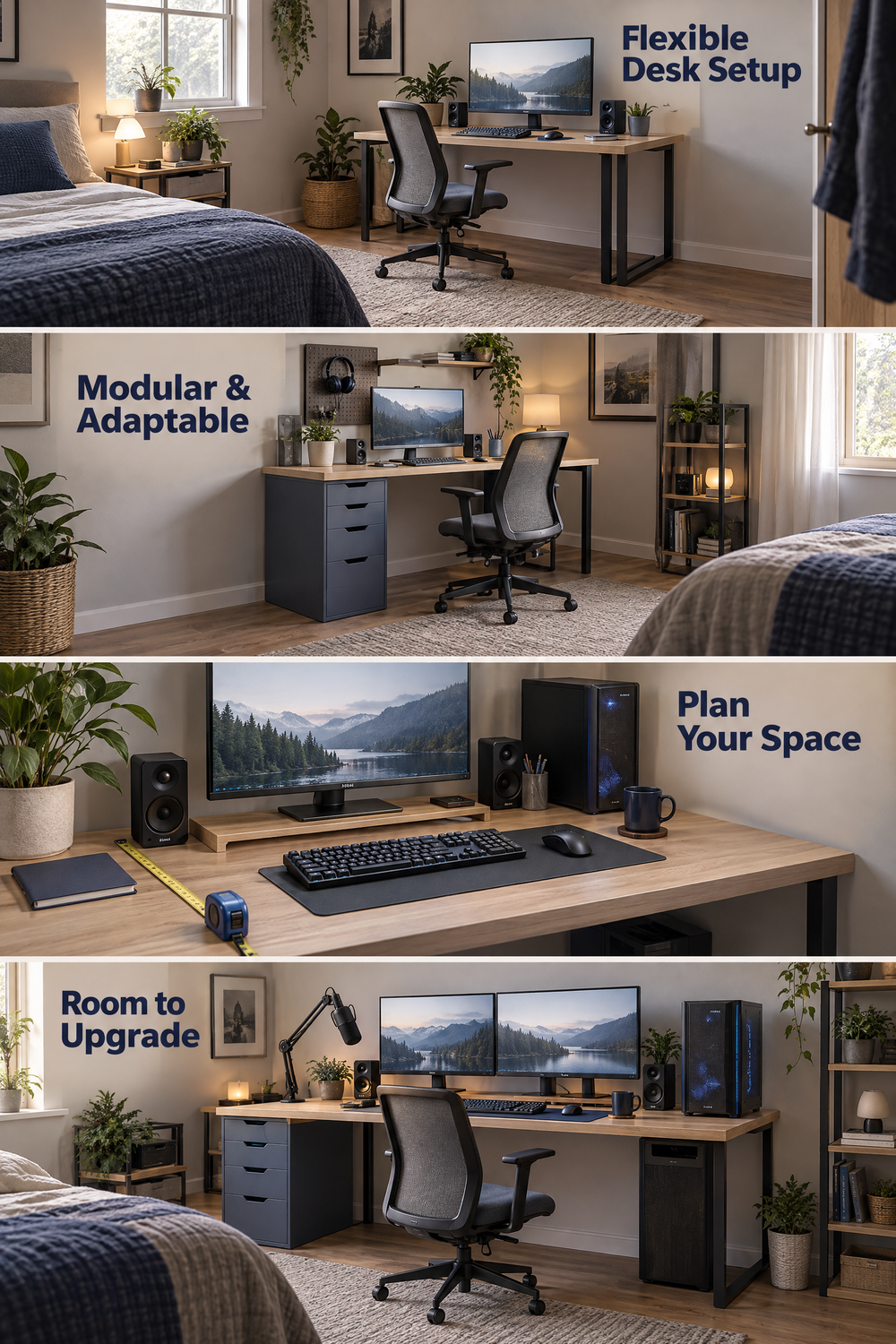
Before buying an IKEA desk or any other desk, check the actual dimensions you need. A long desk may look attractive online but can dominate a small bedroom.
Think about:
Monitor + keyboard + mouse + speakers + comfortable arm space + room for future equipment
If you plan to use two monitors, a microphone arm, speakers, or a large PC tower, allow extra space instead of designing the desk around today’s equipment alone.
The best desk is not necessarily the one marketed specifically to gamers. A stable desk with the right dimensions can be more useful than a desk covered in gaming features you do not need.
Game Room Ideas for Adults
5. Create a Sophisticated Gaming Lounge
A game room for adults does not have to look like a neon arcade.
A more mature gaming room can use comfortable furniture, neutral colors, warm lighting, and a few carefully selected gaming displays.
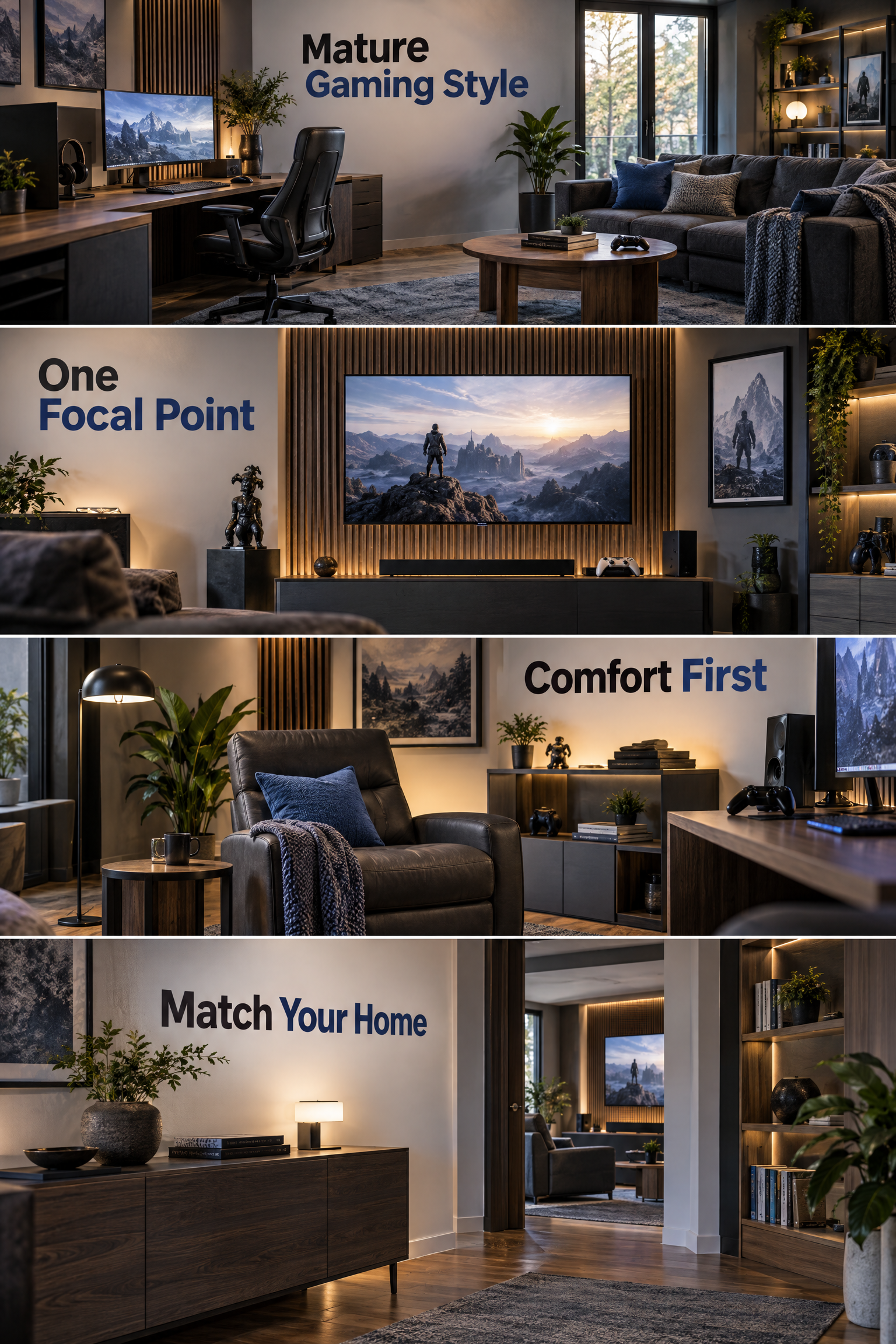
Instead of covering every wall with RGB lights, choose one visual focal point. This could be a large monitor wall, a console display, framed artwork, shelving, or a comfortable lounge chair.
You can use black, charcoal, gray, wood tones, muted blue, or other colors that already work with the rest of your home.
The goal is to make the room feel like a part of the house rather than a collection of gaming accessories.
If you are also updating other rooms, ideas such as choosing the right paint color can help you think about how lighting and existing finishes affect the final look.
6. Combine a Gaming Setup With a Home Office
A gaming room can become much more useful when it doubles as a workspace.
A dual-purpose gaming and office setup works best when the desk is large enough for both activities and the equipment can be kept organized.
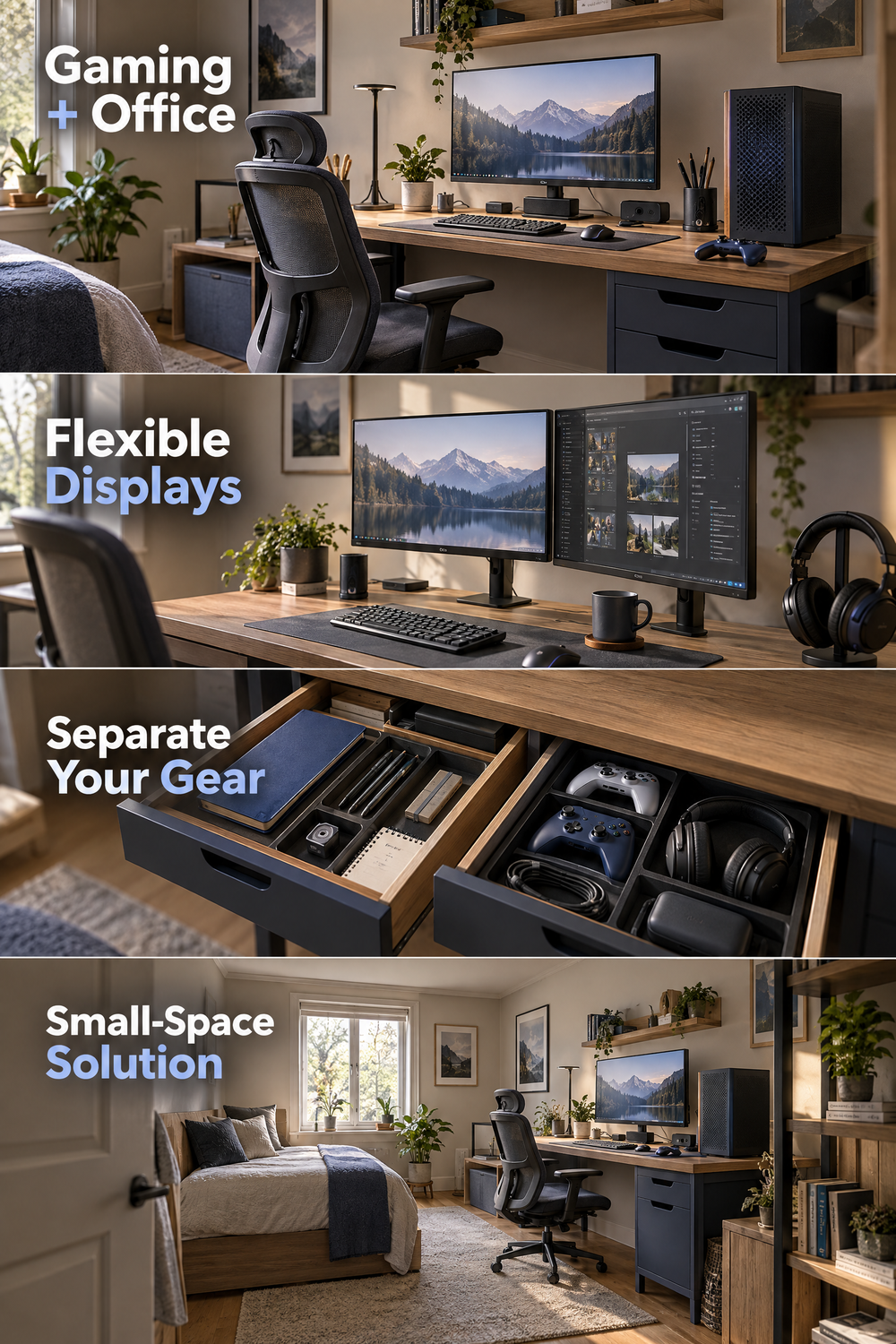
You might use one monitor for work and gaming, or use multiple displays with enough desk depth to keep everything comfortable.
Keep work and gaming accessories separated where possible. A drawer for office supplies and another area for controllers, headsets, and cables can make the transition between work and gaming much easier.
This is especially useful if you do not have an entire spare room available.
7. Add Comfortable Seating for Multiplayer Gaming
A gaming room becomes more social when there is somewhere comfortable for another person to sit.
A small sofa, lounge chair, or pair of compact chairs can work better than adding several large pieces of furniture.
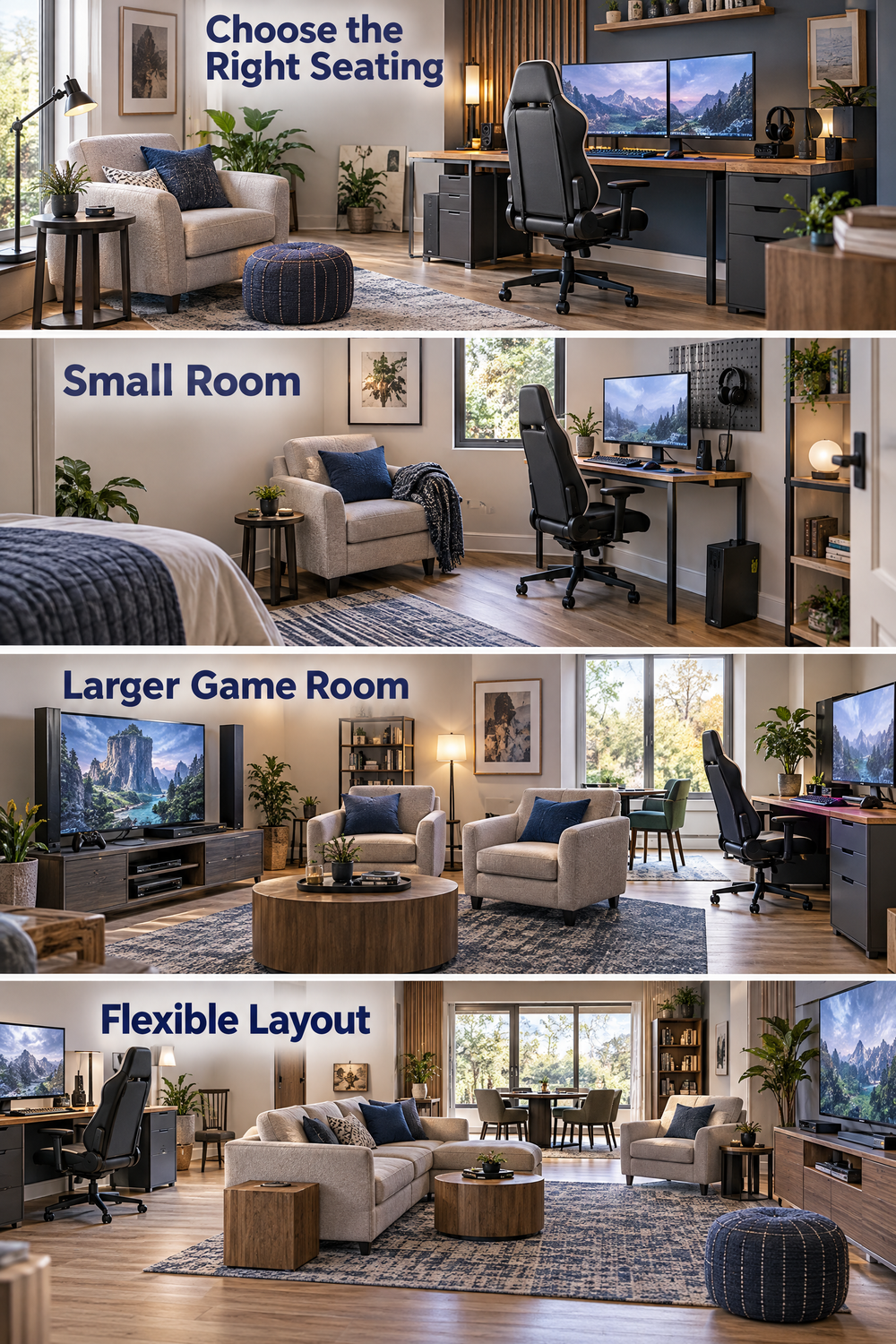
The right choice depends on the room. In a small space, one comfortable chair may be enough. In a larger game room, a sofa can create a separate console or watching area.
Keep seating far enough away from the main gaming chair that people can move around without bumping into desks or equipment.
If the room is used for both gaming and relaxing, think about furniture placement from both directions. You should be able to sit comfortably for a movie or conversation without feeling as though you are sitting directly in front of a computer desk.
8. Create a Display-Worthy Game Room
Your games and gaming equipment can become part of the room’s decor when they are displayed intentionally.
Open shelving can turn consoles, collectibles, artwork, and favorite games into a visual feature rather than leaving everything hidden in boxes.
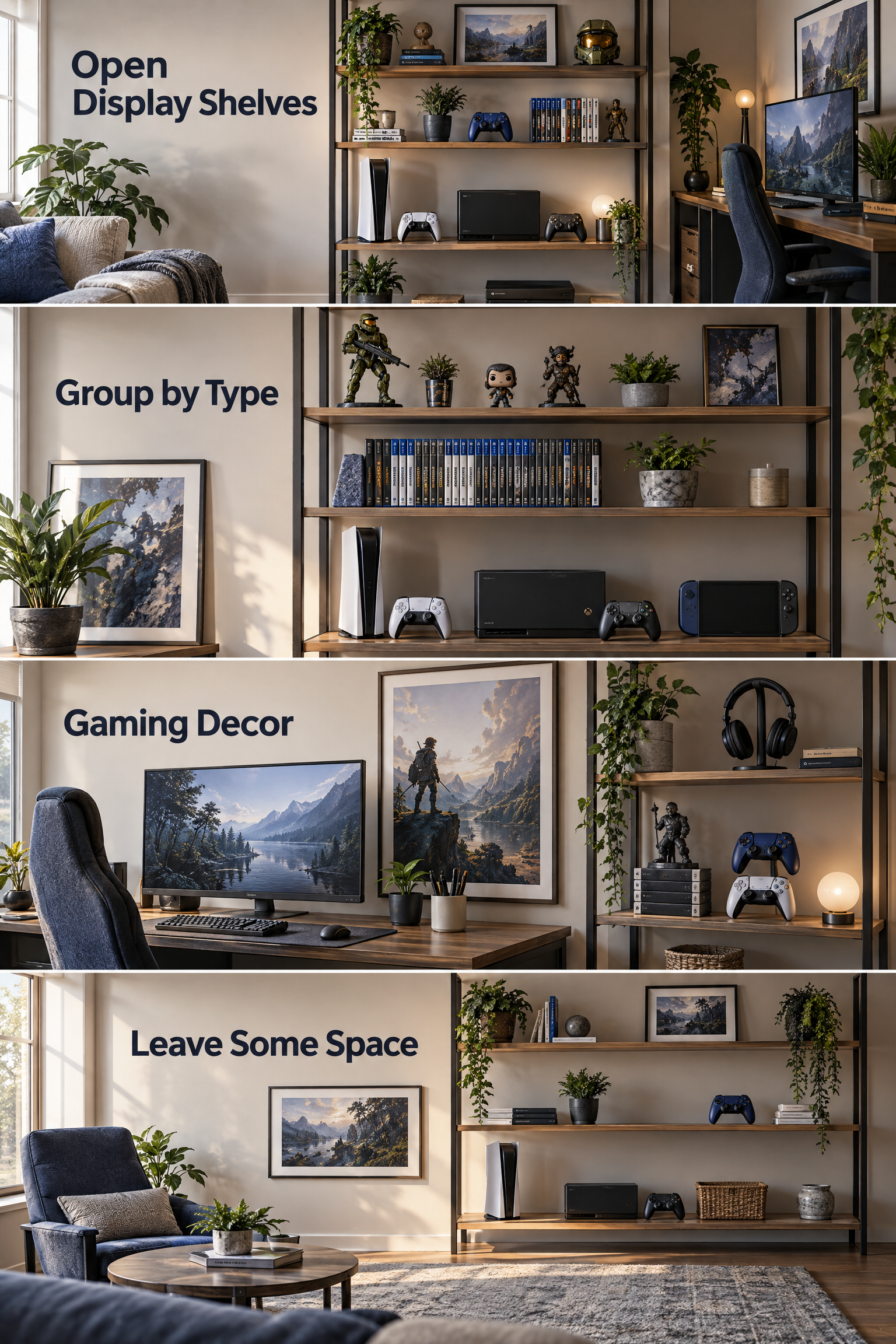
Try grouping items by size or type instead of placing every object wherever there is an empty spot.
For example:
- Consoles on wider shelves
- Games grouped together
- Small collectibles on upper shelves
- Artwork behind or beside the gaming desk
- Controllers stored where they are easy to reach
Leave some empty shelf space. A display looks more intentional when every surface is not completely full.
Gaming Room Setup Ideas
9. Build a Clean Dual-Monitor Setup
Two monitors can be useful for gaming, streaming, communication, work, or other tasks, but the setup needs to be planned around the desk.
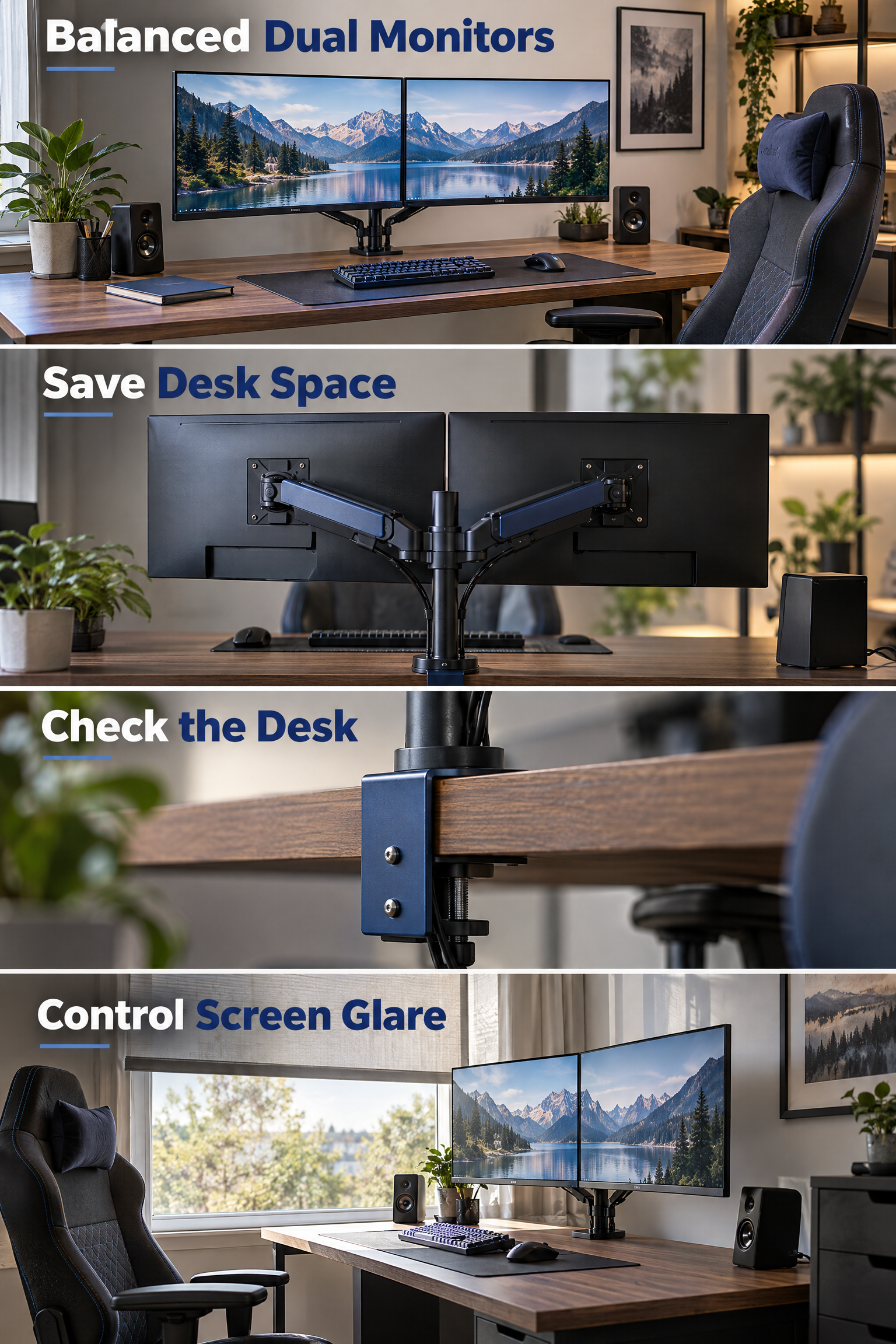
A dual-monitor setup works best when both screens can be positioned comfortably without forcing your neck into an awkward position.
A monitor arm can help you adjust screen height and reduce the amount of desk space used by stands.
Before installing one, check that your desk can safely support the mounting method and that the arm is suitable for your monitor size and weight.
Also think about window placement. Direct sunlight behind or beside the monitor can create distracting glare.
10. Layer Your Gaming Room Lighting
Good gaming room lighting should make the room comfortable, not simply make it brighter.
Layered lighting combines general room lighting, task lighting, and accent lighting.
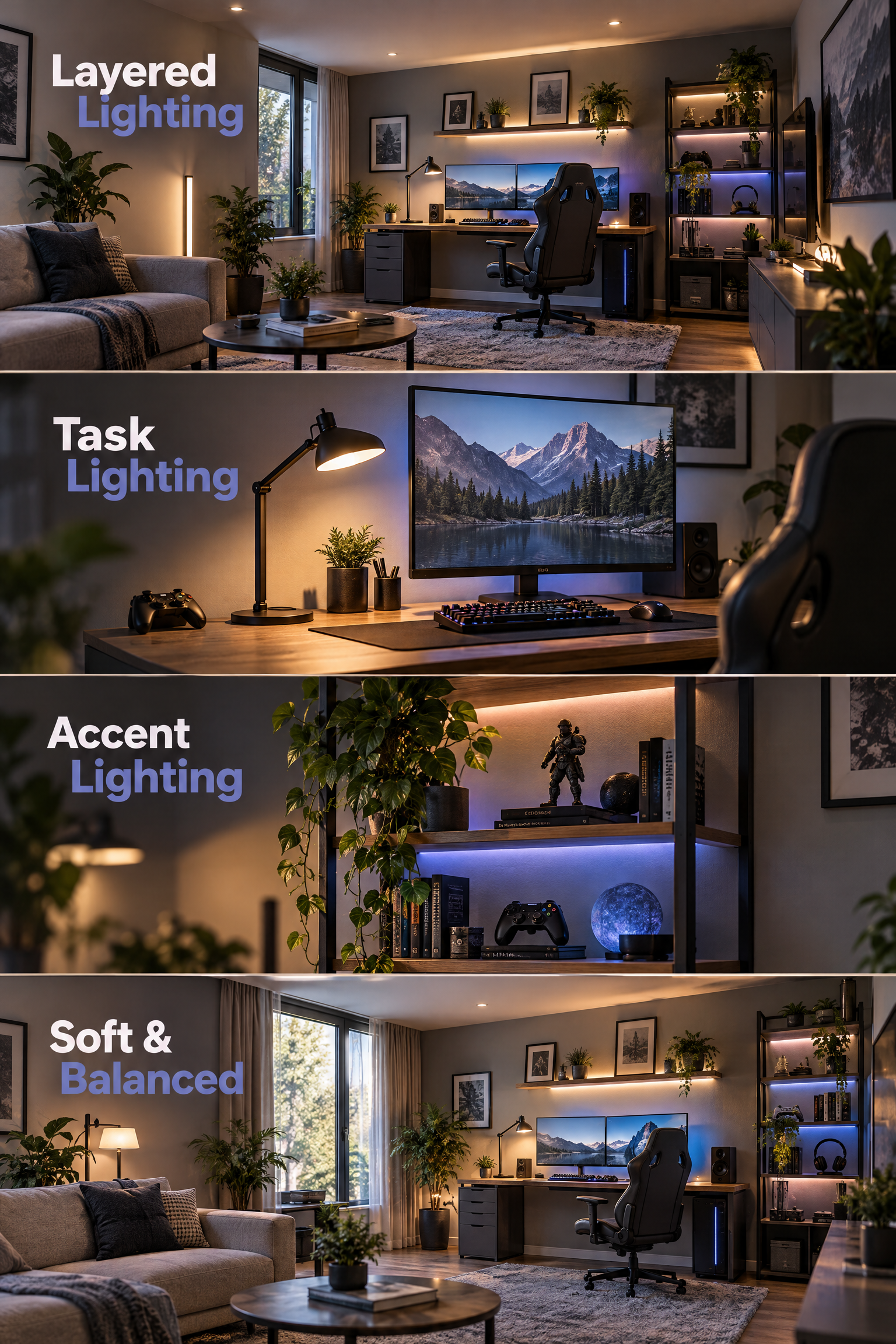
For example, you could use:
- A main ceiling light for general visibility
- A desk lamp for focused tasks
- A soft light behind the monitor
- Small accent lights around shelves
RGB lighting can still be part of the design, but it does not have to be the main feature.
Avoid placing very bright lights directly behind the monitor if they create glare. You also do not need to make the entire room extremely dark while gaming.
A softer, balanced setup is usually easier to live with throughout the day.
11. Hide Cables for a Cleaner Setup
Cable management is one of the simplest ways to make a gaming setup look more finished.
Start by deciding where each cable needs to go before attaching anything permanently.
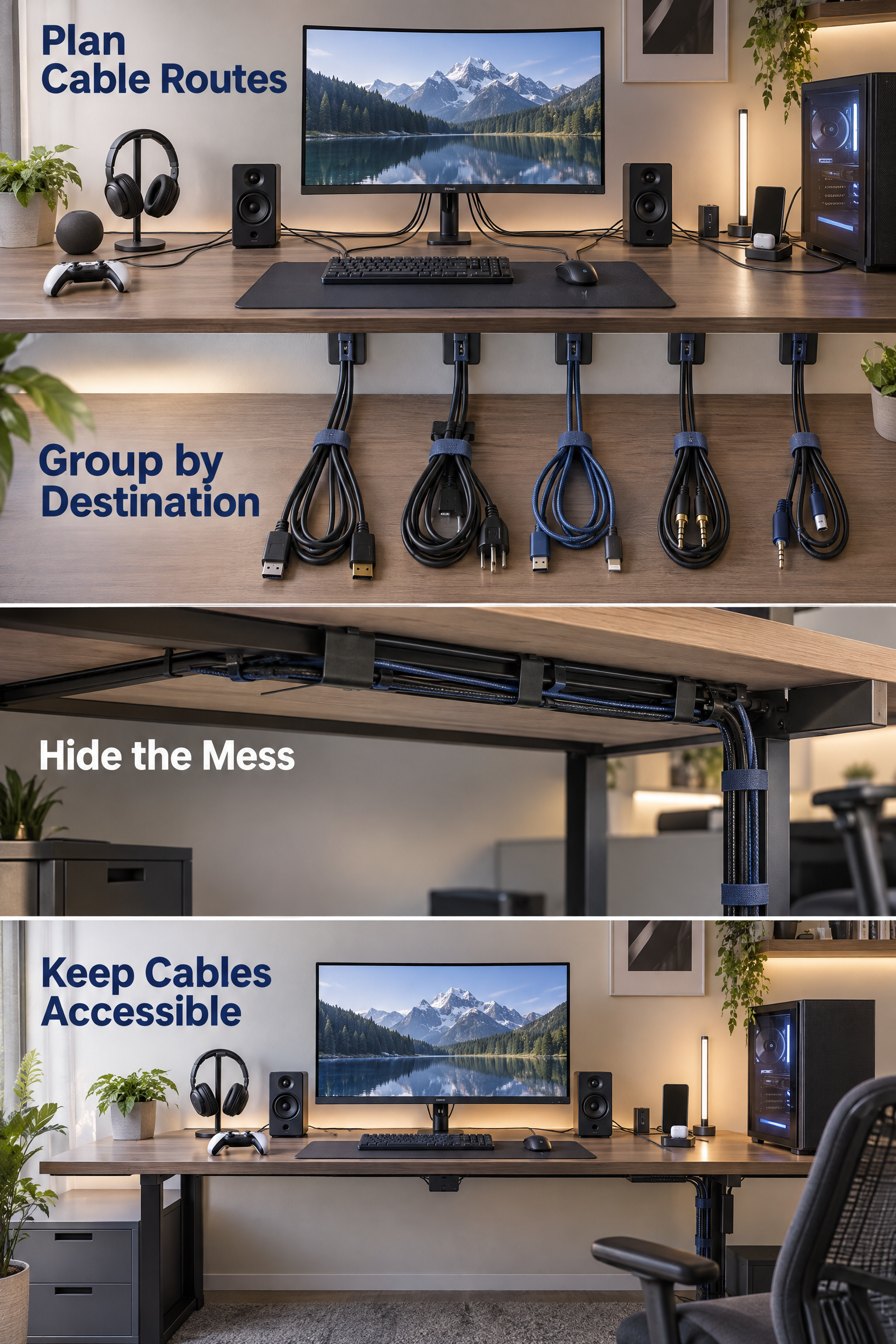
A simple approach is to group cables by destination:
- Monitor cables
- Computer or console cables
- Charging cables
- Audio cables
- Lighting cables
Use cable clips, sleeves, trays, or under-desk channels where appropriate.
Do not create tightly packed bundles that are difficult to inspect later. You should still be able to identify and disconnect individual equipment when something needs to be replaced.
Keep cables away from walking paths and avoid creating situations where cords can be pulled accidentally.
12. Add Smart Storage for Gaming Gear
Gaming equipment becomes much easier to manage when every frequently used item has a specific place.
Controllers should not live on the floor, headsets should not hang from a random chair, and spare cables should not become one tangled drawer.
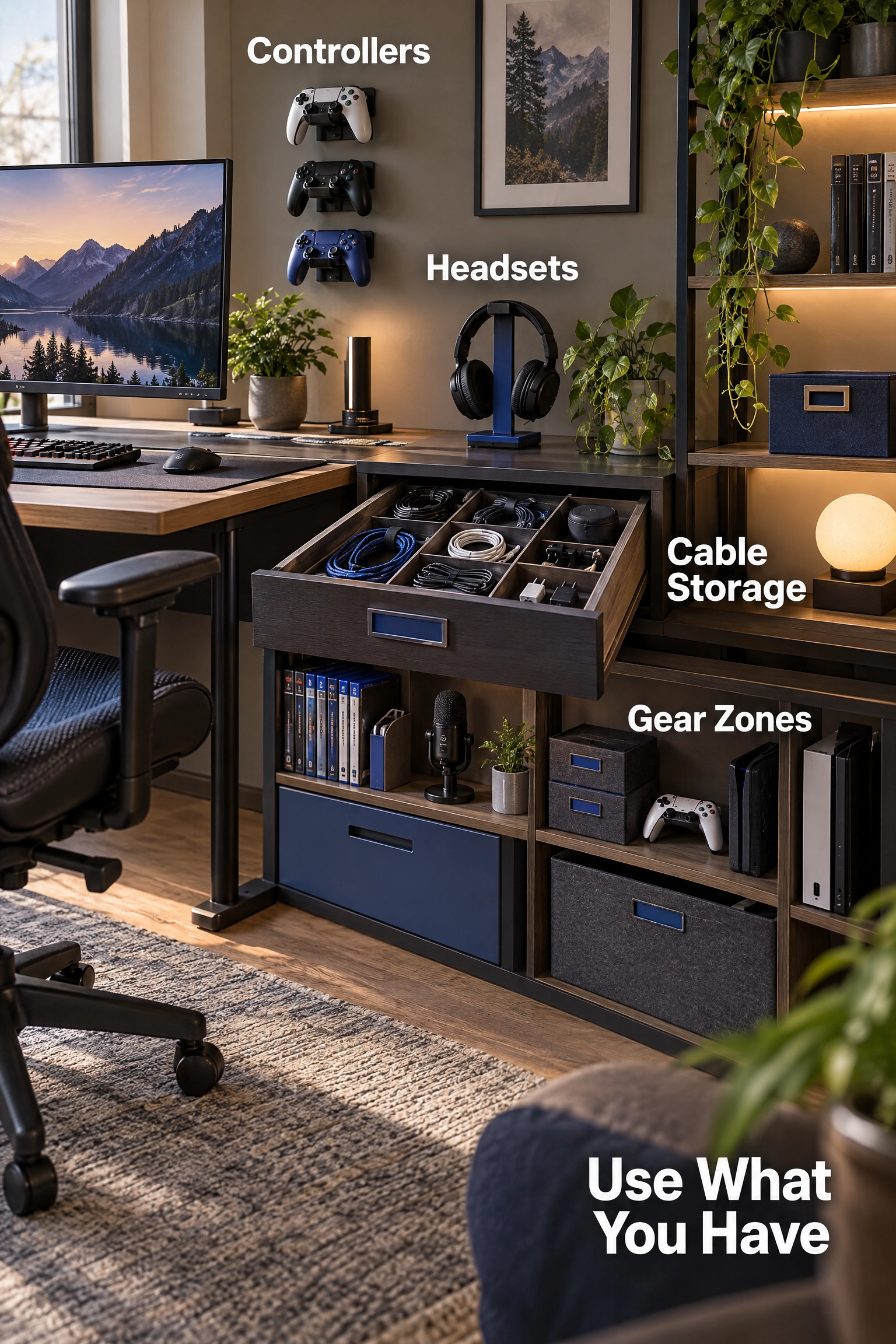
Create simple storage zones for:
- Controllers
- Headsets
- Games
- Charging cables
- Spare cables
- Adapters
- Microphones
- Small accessories
A drawer organizer, small storage box, wall hook, or shelf may be enough.
The goal is not to buy more storage. The goal is to make the storage you already have easier to use.
This is the same idea behind our pantry organization ideas and bathroom cabinet organization ideas: group similar items together and keep the things you use most often within easy reach.
Game Room Renovation & DIY Ideas
13. Turn an Unused Room Into a Gaming Room
An unused bedroom, basement area, or spare room can become an excellent gaming space when you plan the room before decorating it.
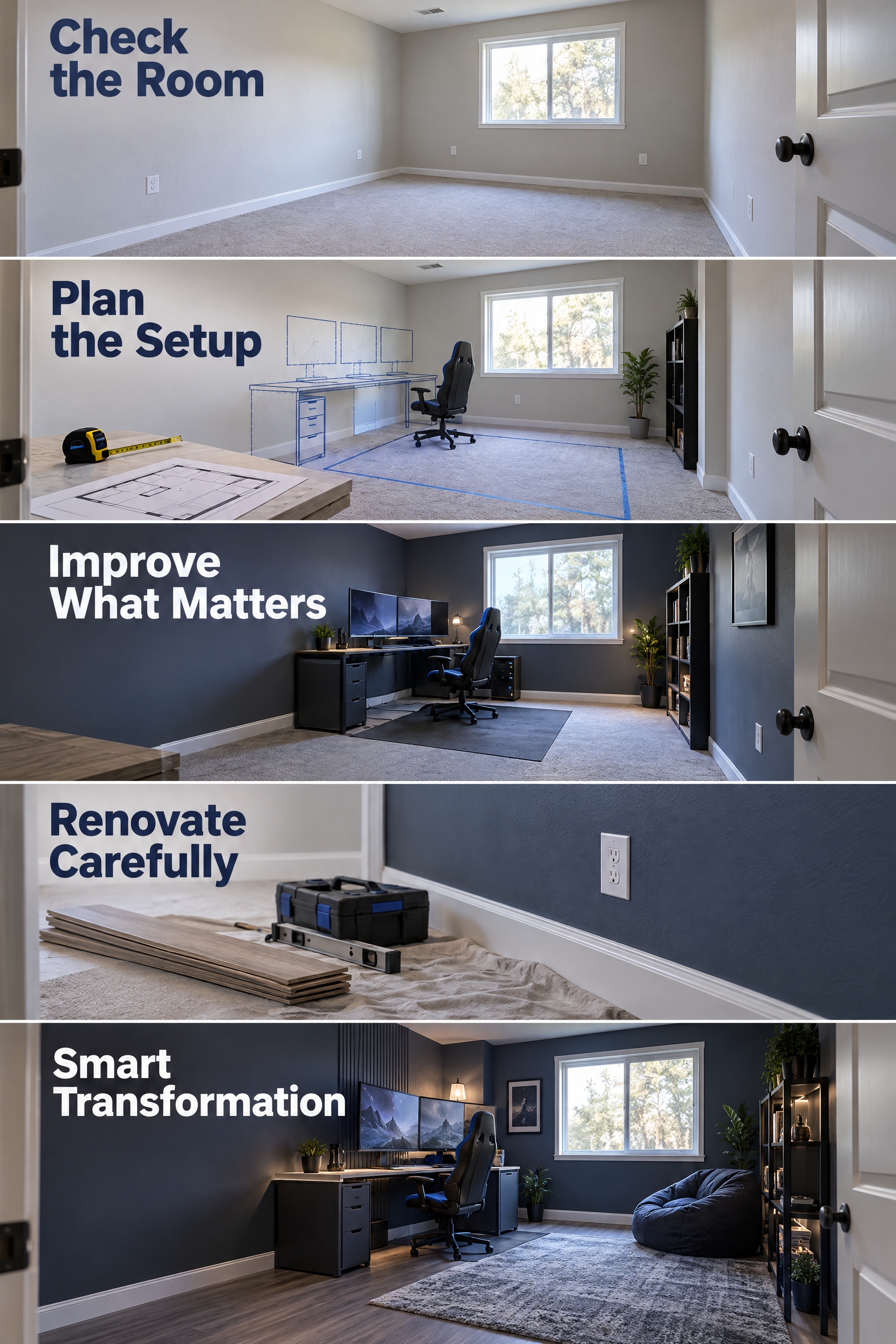
Start with the room itself before buying gaming furniture.
Check:
- Electrical outlets
- Natural light
- Wall condition
- Flooring
- Ceiling height
- Heating and cooling
- Door and window locations
- Available wall space
Then decide where the main gaming station should go.
If the room needs more than paint and furniture changes, plan renovation work carefully. Electrical modifications, structural changes, major flooring work, or other building work may require appropriate professional help and local approval.
A useful renovation does not have to change everything. Sometimes better lighting, a fresh wall finish, improved cable routing, and better furniture placement make a larger difference than expensive decorative features.
14. Try a DIY Game Room Makeover
A DIY game room makeover can produce a noticeable change without turning the project into a full renovation.
The smartest DIY makeover starts with what you already own.
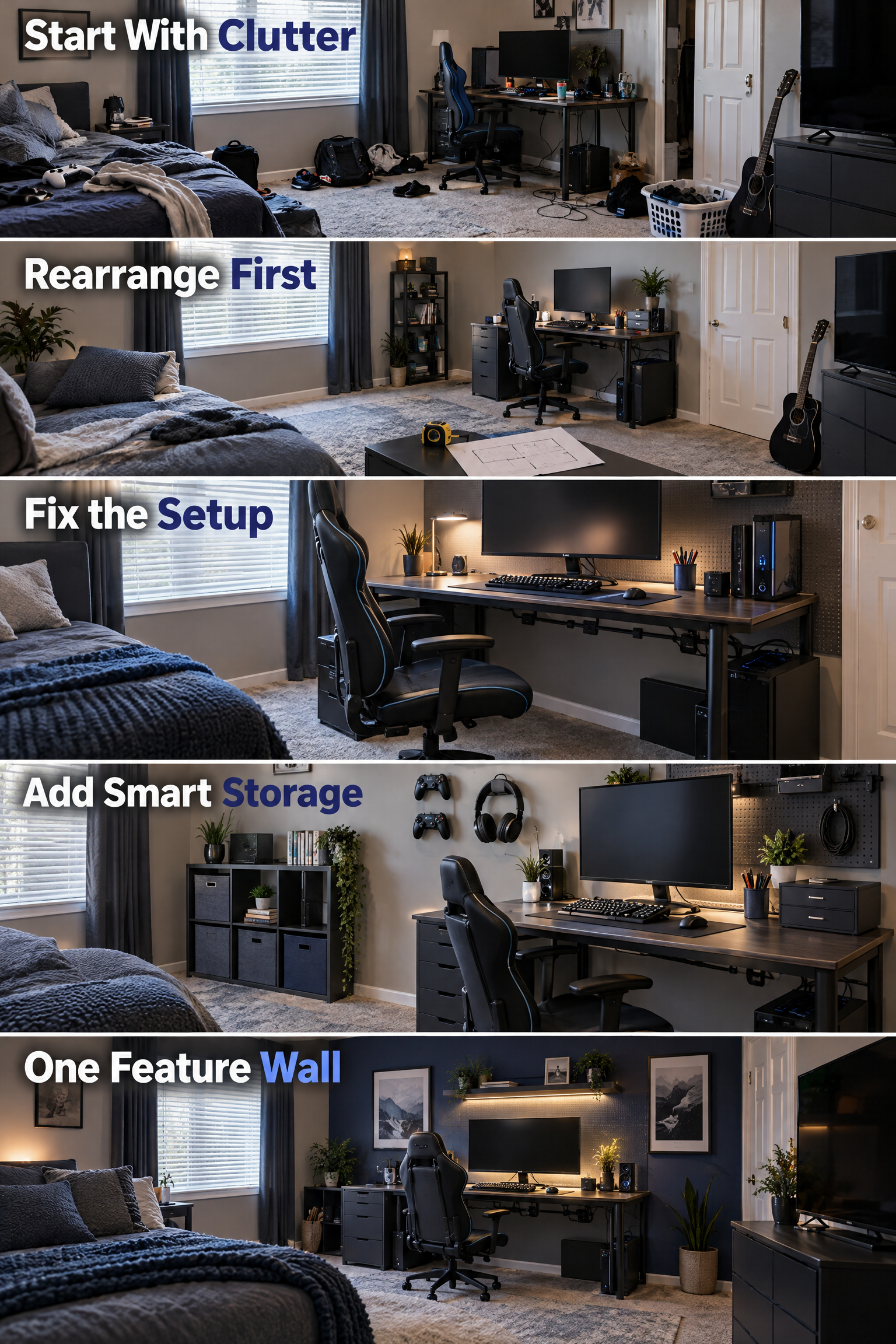
Try this order:
- Remove clutter.
- Take measurements.
- Rearrange the existing furniture.
- Improve the lighting.
- Organize cables.
- Add practical storage.
- Paint or update one feature wall if needed.
- Add a small amount of decor.
This approach helps you see what the room actually needs before spending money.
For example, if your gaming desk is already good but the room feels messy, replacing the desk may not solve anything. Better cable management and storage could make the existing desk feel completely different.
If you enjoy practical home updates, you can also explore our guides to kitchen remodel ideas and bathroom remodel ideas for the same staged approach to larger home projects.
15. Create a Gaming & Relaxation Room
A gaming room can be more valuable when it works for more than gaming.
Think of the room as a personal entertainment space rather than a room that only holds a computer.
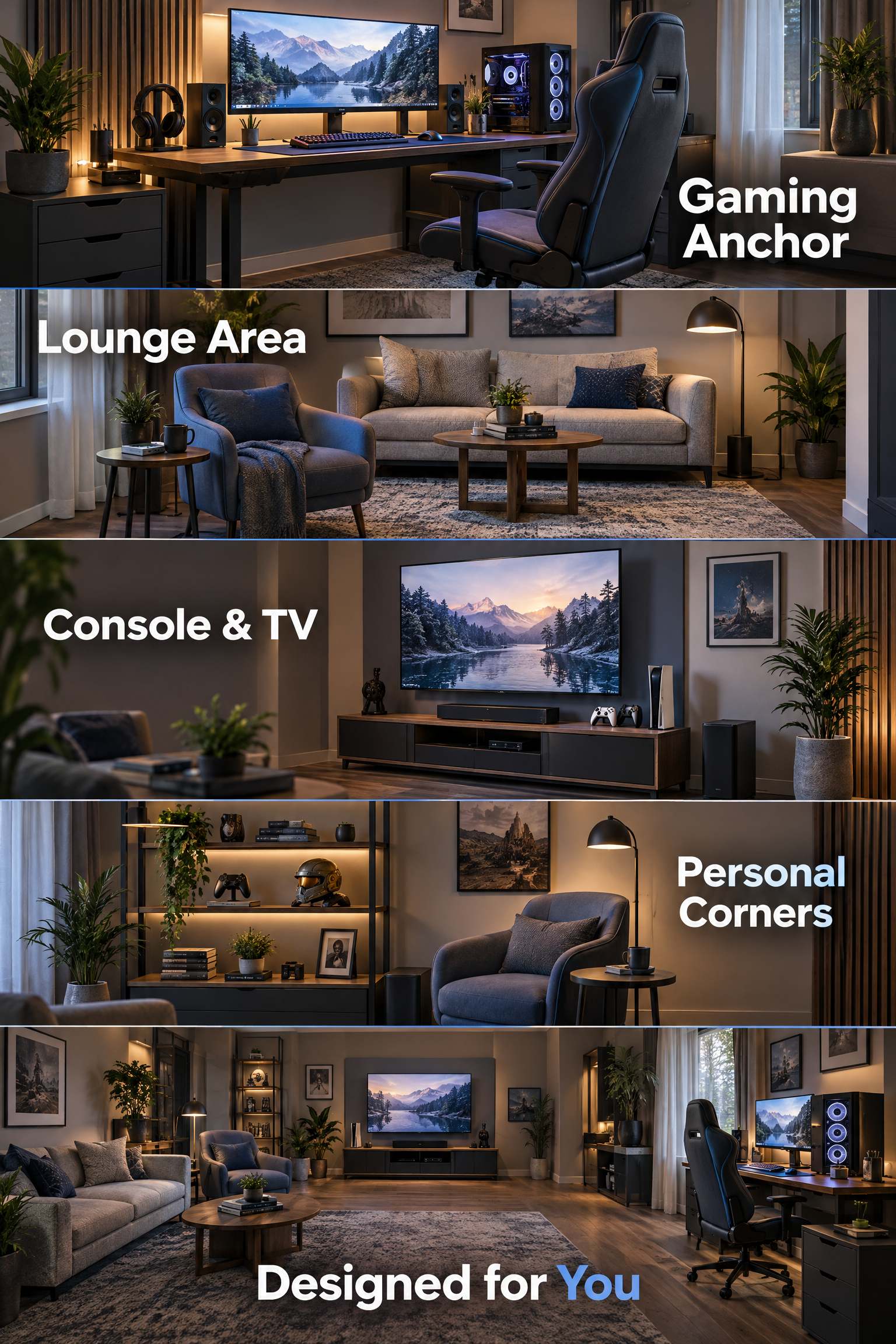
Depending on the available space, you might include:
- A main gaming desk
- A comfortable lounge chair
- A small sofa
- A television or console area
- Display shelves
- A reading corner
- A small table for drinks or snacks
Keep the gaming station as the main anchor, then build the rest of the room around it.
Avoid adding features simply because they appear in other gaming rooms online. If you never use a large seating area, you do not need one. If you mostly play at a desk, invest more of the available space in a comfortable workstation.
The best gaming room is designed around how you actually use it.
Game Room Renovation Ideas Worth Considering
A game room renovation should solve practical problems before adding decorative features.
The most valuable upgrades are usually the ones you notice every time you use the room.
| Renovation area | Why it matters | Consider first |
|---|---|---|
| Electrical | Reduces extension-cord clutter | Existing outlets and equipment locations |
| Lighting | Improves comfort and atmosphere | Glare and natural light |
| Flooring | Changes comfort and appearance | Foot traffic and maintenance |
| Walls | Creates a stronger visual backdrop | Existing color and room lighting |
| Storage | Controls clutter | What equipment you actually own |
| Acoustics | Can improve the feel of the room | Hard surfaces and room use |
| Layout | Makes everything easier to use | Desk, chair, doors, and walkways |
Do not renovate simply because a gaming room looks impressive in a photo. A renovation should have a reason.
For example, adding outlets may be worthwhile if your equipment requires several power connections. Replacing flooring may make sense if the existing surface is damaged or difficult to maintain. But replacing perfectly usable furniture just to match a trend may not be the best use of your budget.
If your project involves walls, ceilings, plumbing, flooring, or other parts of the home, our home and living ideas can provide additional inspiration.
DIY Game Room Makeover on a Budget
A budget gaming room makeover works best when you improve the room in stages.
You do not need to buy everything at once to make the space feel new.
Start with the changes that have the biggest visual or practical effect:
Step 1: Declutter
Remove broken accessories, unused boxes, duplicate cables, and equipment you no longer use.
Step 2: Fix the Layout
Move the desk, chair, storage, and seating until the room feels comfortable to walk through.
Step 3: Improve the Lighting
Add one or two useful light sources before buying decorative lighting.
Step 4: Organize the Cables
Get cables off the floor and route them along the desk or wall where appropriate.
Step 5: Add Storage
Use existing drawers, shelves, boxes, or hooks before purchasing a large storage system.
Step 6: Add Personality
Finish with artwork, collectibles, plants that suit the space, posters, or a few gaming accessories that actually mean something to you.
How to Plan Your Gaming Room Before Buying Anything
A simple plan can prevent expensive furniture and accessories from becoming problems later.
Measure the room first, then build the gaming setup around those measurements.
Measure the Available Space
Record the usable width and depth of the room, including areas occupied by doors, windows, closets, radiators, or other fixed features.
Decide Where the Main Desk Will Go
The desk should have enough space for your equipment while leaving a comfortable walkway.
Check the Power Situation
Look at where outlets are located before deciding where the computer, console, monitor, and lighting will sit.
Consider Natural Light
Windows can provide useful daytime light, but direct sunlight can create screen glare.
Plan Your Equipment
List what you actually own:
- Computer or console
- Monitor or monitors
- Keyboard and mouse
- Speakers
- Headset
- Microphone
- Controllers
- Camera
- Lighting
- Storage
This list will help you avoid buying a desk that is too small.
Leave Room for Future Changes
Your gaming equipment may change over time. Leave some flexibility instead of designing every inch of the desk around your current setup.
Set a Budget
Divide your budget into practical categories:
Furniture → equipment → lighting → storage → decor
If money is limited, prioritize the items that affect everyday comfort and function.
Common Gaming Room Mistakes to Avoid
Many gaming rooms look impressive in photos but become frustrating to use because basic planning was skipped.
Buying a Desk That Is Too Small
A desk can look sleek while being completely impractical once you add a monitor, keyboard, mouse, speakers, and other equipment.
Measure your equipment before choosing the desk.
Using Too Much RGB
RGB is an accent, not a requirement.
Too many bright colors can make the room feel visually busy, especially when combined with colorful walls, posters, shelves, and multiple screens.
Ignoring Cable Management
A great setup can look unfinished when cables hang everywhere.
Plan cable routes before installing your equipment.
Forgetting About Comfort
Gaming sessions can be long, so the chair, desk height, monitor position, and available legroom deserve as much attention as the room’s appearance.
Filling Every Wall
A gaming room does not need every wall covered with shelves, lights, posters, or collectibles.
Empty space is useful design space.
Copying Another Room Exactly
A setup that works beautifully in a large basement may be terrible in a small bedroom.
Take inspiration from other rooms, but adapt the idea to your own measurements, equipment, budget, and habits.
A Simple Gaming Room Planning Checklist
Before you start buying or renovating, run through this checklist:
If you are designing a room for a child or teenager, remember that the priorities may be different from an adult gaming room. Safety, furniture stability, cable placement, and easy access to storage deserve extra attention. Our guide to toddler room ideas also covers the broader principle of creating a room around safety and function before decoration.
Build a Gaming Room That Feels Like You
The best gaming room ideas are not necessarily the most expensive or the most colorful.
A successful gaming room is one that fits the space, supports comfortable gaming, keeps equipment organized, and still feels like part of your home.
For a small bedroom, that might mean a compact corner desk, vertical storage, and a bed-friendly layout. For an adult game room, it could mean comfortable seating, subtle lighting, better displays, and a more refined color palette. For a DIY makeover, simple changes such as rearranging furniture, managing cables, and improving lighting may be enough.
Start with the things that affect how you use the room every day. Get the layout right first, then add the style.
And remember: RGB can make a gaming room glow, but good design is what makes you want to stay there.
Frequently Asked Questions
What should a good gaming room setup include?
A good gaming room setup should include a suitable desk, comfortable chair, properly positioned monitor, practical lighting, organized cables, and accessible storage. The exact equipment depends on whether you mainly play on a PC, console, or both.
How do I make a gaming room in a small room?
Use a compact desk, vertical storage, wall-mounted accessories, and multifunctional furniture. Keep the floor as open as possible and avoid adding large furniture that does not serve a clear purpose.
Can I combine a gaming setup with a bed?
Yes. A small gaming room with a bed can work well when the sleeping and gaming zones are clearly separated. Place the desk along an available wall, keep the walkway open, and use storage that does not consume unnecessary floor space.
Is an IKEA desk good for a gaming setup?
An IKEA desk can work well if its size, stability, depth, and storage options match your equipment. Do not choose a desk simply because it is popular with gamers; measure your monitor, keyboard, computer, and accessories first.
How much does a game room renovation cost?
There is no single useful price because renovation costs vary greatly depending on the room and the work involved. A simple makeover using existing furniture can cost relatively little, while electrical work, flooring, built-ins, major lighting changes, or structural work can increase the budget considerably.
How can I do a DIY game room makeover?
Start with decluttering and rearranging the room, then improve lighting, cable management, storage, and one or two decorative features. You do not need a complete renovation to make a noticeable improvement.